Try Microsoft 365 Copilot Business for 30 Days.

Give 25 of your users a FREE, guided, hands-on Copilot experience across Outlook, Teams, Word, PowerPoint, Excel, and advanced AI scenarios.
Why Copilot in 30

GUIDED VALUE INSTEAD OF GUESSWORK

Why Copilot in 30?

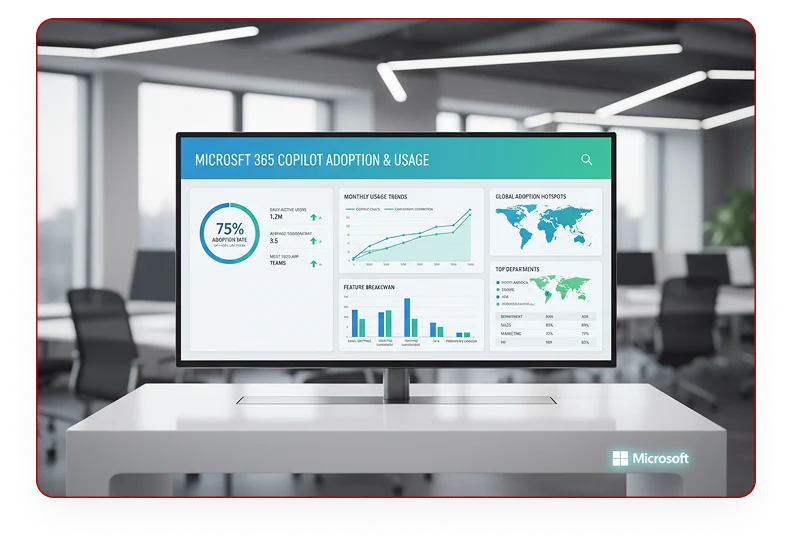
AI adoption should begin with practical value, not guesswork. Copilot in 30 helps your organisation test Microsoft 365 Copilot in real work, with a structured plan, guided prompts, usage tracking, and a clear path to paid deployment.

GUIDED VALUE INSTEAD OF GUESSWORK

What Does the Copilot Free Trial Include?

25 Trial Seats

25 Trial Seats

Equip key stakeholders and power users with free trial licenses.

30-Day Guided Plan

30-Day Guided Plan

Structured timeline focusing on core productivity benchmarks.

Trial Setup Support

Trial Setup Support

Hands-on license provisioning and environment validation.

25 Trial Seats

Weekly User Enablement

Interactive syncs keeping your evaluation team aligned.
Prompt Guidance

Prompt Guidance

Field-tested playbooks to extract immediate daily utility.
Adoption Check-Ins

Adoption Check-Ins

Continuous telemetry-driven usage optimization.
Value Review & Recommendation

Value Review & Recommendation

Clear post-trial deployment roadmap & expansion plan.

Evaluation Criteria

Who Should Apply?

This trial is designed for organisations that:

Who Should Apply
point-1

Use Microsoft 365 Business Standard or Business Premium

Using Microsoft 365 Business Standard or Premium tenant licenses.

point-2

Have not yet deployed paid Copilot licences

Organizations that have not yet active or deployed paid Copilot licenses.
point-3

Have 50 to 300 Copilot-eligible users

Perfect scale to build cross-department trial velocity.
point-4

Want a structured AI productivity pilot

Committed to driving structured AI pilot adoption checklists.

User Journey

The 30-Day Experience

Copilot in 30 Days — Timeline
Week 1
1

Catch up and communicate in Outlook

Outlook communication optimization & scheduling automation.
Copilot in Outlook
Week 2
2

Run better meetings in Teams

Harness Teams real-time notes and actionable synopses.

Copilot in Teams
Week 3
3

Create faster in Word, PowerPoint and Excel

Draft and analyze across Word, PowerPoint, and Excel.

Copilot in Word, PowerPoint and Excel
Week 4
4

Explore agents and advanced workflow scenarios

Build tailored agents and automate department workflows.

Copilot agents and automation

Your Shield Against Digital Risk. Your Platform for AI-Ready Growth.

EverGuard 365 is the trusted Microsoft 365 operations and security backbone for organisations of all sizes, protecting what you’ve built whilst unlocking what’s next.

Organisations Protected
0 +
Reduction in Security Incidents
0 %
Audit Pass Rate
0 %

Security

Guaranteed

Three Pillars of Continuous Value

Security & Risk Protection

Move from reactive firefighting to proactive defence. Continuous visibility, automated remediation, and clear risk insights.

copilot readiness

Operational Excellence

Reduce firefighting, automate routine tasks, and deliver predictable service quality, without proportional headcount growth.

Copilot & AI Readiness

Adopt AI confidently with governance frameworks, readiness assessments and change management that protect your security baselines.

CHOOSE YOUR STARTING POINT

Choose Your Starting Point

TIER 01

Foundation

Instant security visibility and baseline protection

Free

PERFECT FOR
WHAT'S INCLUDED:

Security assessments, monthly health reports, self-service dashboard

TIER 02

Core-Managed

Proactive operations with 24×7 monitoring

PERFECT FOR
WHAT'S INCLUDED:

24×7 monitoring, automated remediation, monthly reviews, defined SLAs

TIER 03

Advanced Transformation

Audit-ready compliance and executive governance

PERFECT FOR
WHAT'S INCLUDED:

Advanced controls, continuous compliance, executive dashboards, QBRs

TIER 04

Strategic Co-Creation

Secure innovation at enterprise scale

PERFECT FOR
WHAT'S INCLUDED:

Copilot readiness, AI governance, change management, executive engagement

Take Our 1-Minute Quiz

IT Posture Assessment Quiz

How many Microsoft 365 users do you have?

What's your biggest challenge?

What's your current IT posture?

Almost Done! Let's get your details

Please enter your name
Please enter a valid email address
Please select your country

Thank You!

Your assessment has been submitted. Our team will analyze your responses and get back to you shortly.

Trusted Across Industries and Regions

Trusted Across Industries and Regions

Microsoft Partner
Built on best practices

Enterprise-Ready

Designed for organizations worldwide

Outcome-oriented

60% reduction in incidents, 100% audit pass rate, 40% faster Copilot adoption
"EverGuard 365 transformed our Microsoft 365 operations. In six months we reduced incidents, achieved compliance, and freed our team to innovate."

IT Director

Multi-National Organisation, Johannesburg

Protect Today. Unlock Tomorrow.

Start free, scale when ready. EverGuard 365 grows with your
organisation.

Frequently Asked Question

Can I switch tiers later?

Yes. You can upgrade (or adjust) as your needs evolve.

Is the free tier really free?

Yes. Tier 1 Foundation is completely free with no credit card required.

Do you support organisations outside Nigeria?

Yes. EverGuard 365 supports organisations across Africa and globally.

What makes EverGuard 365 different?

We're Africa-focused, Microsoft 365-native, and built for the dual imperative of protection and innovation.

How do I get started?

Start with a free assessment, take our 2-minute quiz, or book a consultation, whatever works for you.

Ready to secure your Microsoft 365 environment?

Start free. No credit card. No commitment.

Try Microsoft 365 Copilot Business for 30 Days.

Give 25 of your users a FREE, guided, hands-on Copilot experience across Outlook, Teams, Word, PowerPoint, Excel, and advanced AI scenarios.
Why Copilot in 30

GUIDED VALUE INSTEAD OF GUESSWORK

Why Copilot in 30?

AI adoption should begin with practical value, not guesswork. Copilot in 30 helps your organisation test Microsoft 365 Copilot in real work, with a structured plan, guided prompts, usage tracking, and a clear path to paid deployment.

GUIDED VALUE INSTEAD OF GUESSWORK

What Does the Copilot Free Trial Include?

25 Trial Seats

25 Trial Seats

Equip key stakeholders and power users with free trial licenses.

30-Day Guided Plan

30-Day Guided Plan

Structured timeline focusing on core productivity benchmarks.

Trial Setup Support

Trial Setup Support

Hands-on license provisioning and environment validation.

25 Trial Seats

Weekly User Enablement

Interactive syncs keeping your evaluation team aligned.
Prompt Guidance

Prompt Guidance

Field-tested playbooks to extract immediate daily utility.
Adoption Check-Ins

Adoption Check-Ins

Continuous telemetry-driven usage optimization.
Value Review & Recommendation

Value Review & Recommendation

Clear post-trial deployment roadmap & expansion plan.

Evaluation Criteria

Who Should Apply?

This trial is designed for organisations that:

Who Should Apply
point-1

Use Microsoft 365 Business Standard or Business Premium

Using Microsoft 365 Business Standard or Premium tenant licenses.

point-2

Have not yet deployed paid Copilot licences

Organizations that have not yet active or deployed paid Copilot licenses.
point-3

Have 50 to 300 Copilot-eligible users

Perfect scale to build cross-department trial velocity.
point-4

Want a structured AI productivity pilot

Committed to driving structured AI pilot adoption checklists.

User Journey

The 30-Day Experience

Copilot in 30 Days — Timeline
Week 1
1

Catch up and communicate in Outlook

Outlook communication optimization & scheduling automation.

Copilot in Outlook
Week 2
2

Run better meetings in Teams

Harness Teams real-time notes and actionable synopses.
Copilot in Teams
Week 3
3

Create faster in Word, PowerPoint and Excel

Draft and analyze across Word, PowerPoint, and Excel.
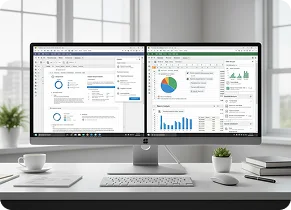
Copilot in Word, PowerPoint and Excel
Week 4
4

Explore agents and advanced workflow scenarios

Build tailored agents and automate department workflows.
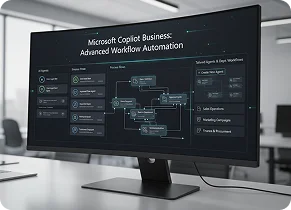
Copilot agents and automation

Post-Evaluation Plan

What Happens After 
30 Days?

At the end of the trial, we review adoption, usage, and business feedback with your team. If the trial proves value, we help you convert selected users to paid seats and build a broader expansion plan.
Post-Evaluation Plan