Try Microsoft 365 Copilot Business for 30 Days.

Give 25 of your users a FREE, guided, hands-on Copilot experience across Outlook, Teams, Word, PowerPoint, Excel, and advanced AI scenarios.
Why Copilot in 30

GUIDED VALUE INSTEAD OF GUESSWORK

Why Copilot in 30?

AI adoption should begin with practical value, not guesswork. Copilot in 30 helps your organisation test Microsoft 365 Copilot in real work, with a structured plan, guided prompts, usage tracking, and a clear path to paid deployment.

GUIDED VALUE INSTEAD OF GUESSWORK

What Does the Copilot Free Trial Include?

25 Trial Seats

25 Trial Seats

Equip key stakeholders and power users with free trial licenses.

30-Day Guided Plan

30-Day Guided Plan

Structured timeline focusing on core productivity benchmarks.

Trial Setup Support

Trial Setup Support

Hands-on license provisioning and environment validation.

25 Trial Seats

Weekly User Enablement

Interactive syncs keeping your evaluation team aligned.
Prompt Guidance

Prompt Guidance

Field-tested playbooks to extract immediate daily utility.
Adoption Check-Ins

Adoption Check-Ins

Continuous telemetry-driven usage optimization.
Value Review & Recommendation

Value Review & Recommendation

Clear post-trial deployment roadmap & expansion plan.

Evaluation Criteria

Who Should Apply?

This trial is designed for organisations that:

Who Should Apply
point-1

Use Microsoft 365 Business Standard or Business Premium

Using Microsoft 365 Business Standard or Premium tenant licenses.

point-2

Have not yet deployed paid Copilot licences

Organizations that have not yet active or deployed paid Copilot licenses.
point-3

Have 50 to 300 Copilot-eligible users

Perfect scale to build cross-department trial velocity.
point-4

Want a structured AI productivity pilot

Committed to driving structured AI pilot adoption checklists.

User Journey

The 30-Day Experience

Copilot in 30 Days — Timeline
Week 1
1

Catch up and communicate in Outlook

Outlook communication optimization & scheduling automation.
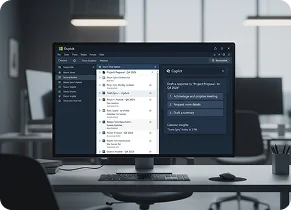
Copilot in Outlook
Week 2
2

Run better meetings in Teams

Harness Teams real-time notes and actionable synopses.

Copilot in Teams
Week 3
3

Create faster in Word, PowerPoint and Excel

Draft and analyze across Word, PowerPoint, and Excel.

Copilot in Word, PowerPoint and Excel
Week 4
4

Explore agents and advanced workflow scenarios

Build tailored agents and automate department workflows.

Copilot agents and automation

Is Your Microsoft 365 Environment Protected?.

See exactly where you are vulnerable; free Security & Copilot Readiness Assessment, no cost, no commitment.

14 security gaps discovered in your environment

Hidden Security Risks Are Putting Your Business at
Risk

Cyberattacks are increasing rapidly with organisations facing thousands of attempted attacks every week. Most Microsoft 365 environments have critical gaps they don’t know about.

"You can't protect what you can't see."
No multi-factor authentication on admin accounts

Weak password policies and configurations

Unmonitored user activity and permission drift
No data loss prevention or compliance controls

EverGuard 365 Foundation: Instant Visibility. Zero Cost.

Get immediate security insights and peace of mind for free.

What’s Included:

Baseline Security Policy Templates

Industry-standard configurations to close common gaps

Monthly Health & Posture Reports

Track your Secure Score and see progress over time

Quarterly Security & Copilot Readiness Assessments

Unlimited assessments to stay ahead of emerging risks

Self-Service Dashboard Access

View your environment’s health anytime, anywhere

Perfect for Forward-Thinking Businesses

EverGuard 365 Foundation is ideal for:

Business owners and managing directors who value trust and transparency

SMEs with 10–250 Microsoft 365 users

Organisations with limited or no dedicated IT staff

Companies seeking security visibility before committing to paid services

What's Included:

Everything in Advanced Transformation, plus:

“We discovered 14 security gaps we didn’t know existed. EverGuard 365 gave us clarity and confidence.”
Operations Manager
Professional Services Firm, Lagos

Get Protected in 3 Simple Steps

Sign Up
2 minutes

Quick form, no credit card required

Connect Your Environment
5 minutes
Safe, read-only access to assess your Microsoft 365 tenant
Get Your Report
24 hours

Clear, actionable insights with prioritised recommendations

Trusted by Organisations Worldwide.

Microsoft 365 Partner

Built on Microsoft best practices

No strings attached

Free tier stays free, no forced upgrades

Global-Oriented

Designed for Global compliance and business realities

Need More Than Visibility?
If your assessment reveals gaps that require proactive monitoring and remediation, you can upgrade to EverGuard 365 Core-Managed, but only if you choose to.

Protect Your Business. Start Free Today.

Frequently Asked Question

Is it really free?

Yes. Tier 1 Foundation is completely free, with no credit card required and no forced upgrades.

What data do you access?

We use safe, read-only permissions to assess your Microsoft 365 configuration. We never access email content or files.

How long does the assessment take?

Sign-up takes 2 minutes. Assessment runs automatically and delivers results within 24 hours.

What if I need help fixing the gaps?

You can stay on the free tier and use our recommendations to fix issues yourself, or upgrade to Core-Managed for 24×7 proactive support.

Do I need technical knowledge?

No. Our reports are written for business owners and non-technical decision-makers.

Try Microsoft 365 Copilot Business for 30 Days.

Give 25 of your users a FREE, guided, hands-on Copilot experience across Outlook, Teams, Word, PowerPoint, Excel, and advanced AI scenarios.
Why Copilot in 30

GUIDED VALUE INSTEAD OF GUESSWORK

Why Copilot in 30?

AI adoption should begin with practical value, not guesswork. Copilot in 30 helps your organisation test Microsoft 365 Copilot in real work, with a structured plan, guided prompts, usage tracking, and a clear path to paid deployment.

GUIDED VALUE INSTEAD OF GUESSWORK

What Does the Copilot Free Trial Include?

25 Trial Seats

25 Trial Seats

Equip key stakeholders and power users with free trial licenses.

30-Day Guided Plan

30-Day Guided Plan

Structured timeline focusing on core productivity benchmarks.

Trial Setup Support

Trial Setup Support

Hands-on license provisioning and environment validation.

25 Trial Seats

Weekly User Enablement

Interactive syncs keeping your evaluation team aligned.
Prompt Guidance

Prompt Guidance

Field-tested playbooks to extract immediate daily utility.
Adoption Check-Ins

Adoption Check-Ins

Continuous telemetry-driven usage optimization.
Value Review & Recommendation

Value Review & Recommendation

Clear post-trial deployment roadmap & expansion plan.

Evaluation Criteria

Who Should Apply?

This trial is designed for organisations that:

Who Should Apply
point-1

Use Microsoft 365 Business Standard or Business Premium

Using Microsoft 365 Business Standard or Premium tenant licenses.

point-2

Have not yet deployed paid Copilot licences

Organizations that have not yet active or deployed paid Copilot licenses.
point-3

Have 50 to 300 Copilot-eligible users

Perfect scale to build cross-department trial velocity.
point-4

Want a structured AI productivity pilot

Committed to driving structured AI pilot adoption checklists.

User Journey

The 30-Day Experience

Copilot in 30 Days — Timeline
Week 1
1

Catch up and communicate in Outlook

Outlook communication optimization & scheduling automation.

Copilot in Outlook
Week 2
2

Run better meetings in Teams

Harness Teams real-time notes and actionable synopses.
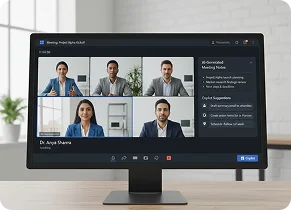
Copilot in Teams
Week 3
3

Create faster in Word, PowerPoint and Excel

Draft and analyze across Word, PowerPoint, and Excel.
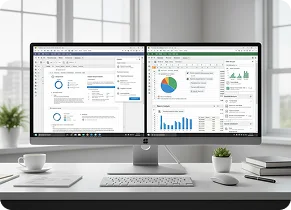
Copilot in Word, PowerPoint and Excel
Week 4
4

Explore agents and advanced workflow scenarios

Build tailored agents and automate department workflows.
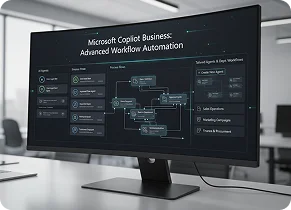
Copilot agents and automation

Post-Evaluation Plan

What Happens After 
30 Days?

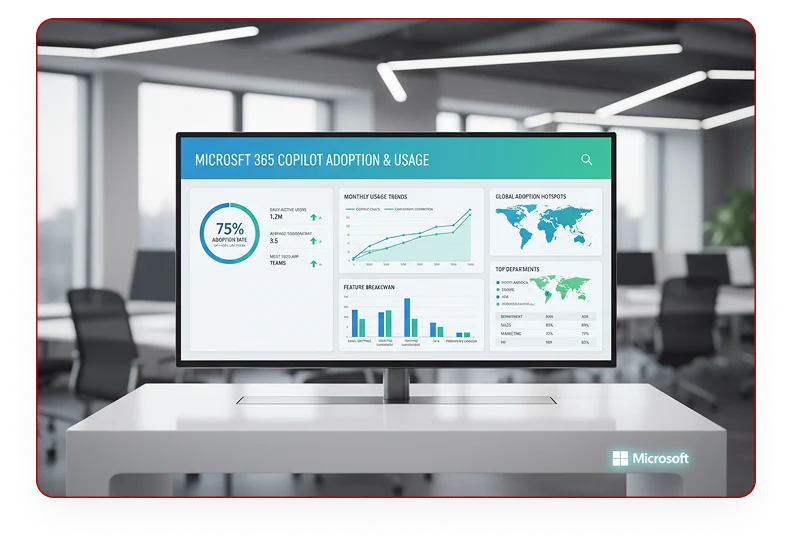
At the end of the trial, we review adoption, usage, and business feedback with your team. If the trial proves value, we help you convert selected users to paid seats and build a broader expansion plan.
Post-Evaluation Plan